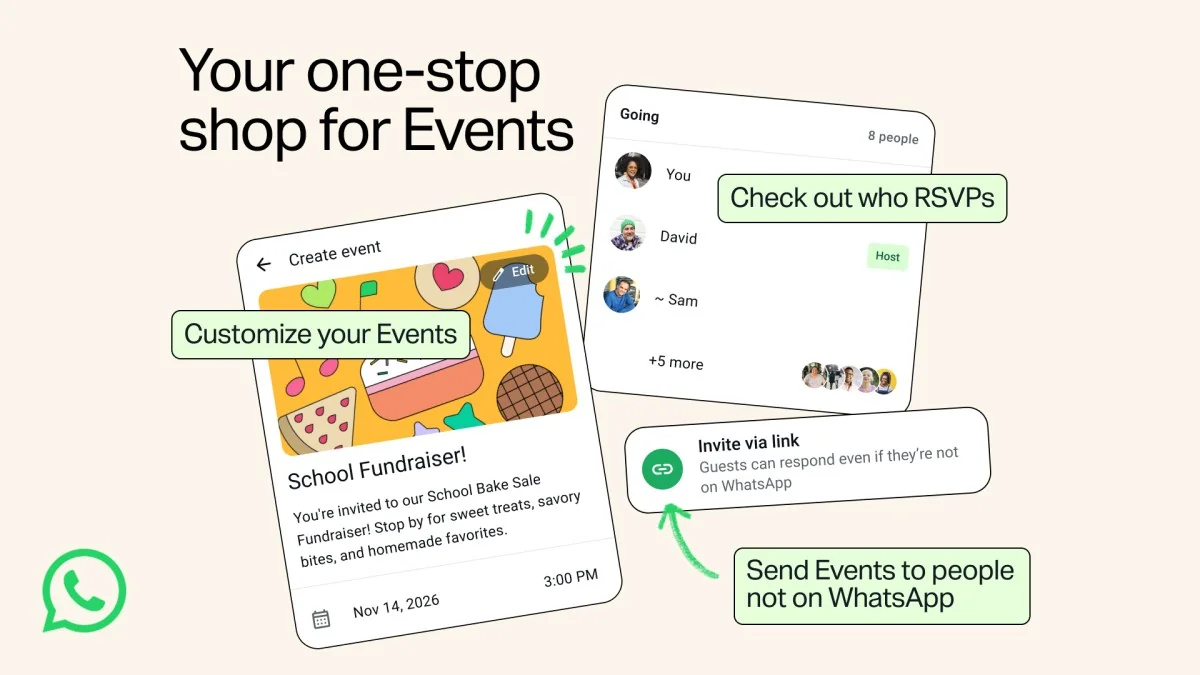
Invitations beyond WhatsApp accounts
Meta says organizers can create an event, add a cover image and share a link. People without WhatsApp can view details and RSVP without installing the application.
What Events Home adds
The new space brings created and received events together with RSVP management. The announcement also lists custom reminders and a plus-one option. Past and upcoming events can be accessed through Settings → Events.
An event is different from a chat message
Our interpretation is that a shared place for current arrangements is the central benefit. Changes to a time or venue can disappear in a long discussion; a dedicated event can make those details easier for participants to find.
That only works if the organizer keeps the event current. Announcing a new time in a separate message while leaving the old time in the event creates another conflicting version of the plan rather than simplifying coordination.
Create a self-explanatory invitation
We suggest reviewing an invitation from the perspective of someone who has not read the previous conversation. Are the date, time, location and response process clear? Does the address need explanation? International participants also need an unambiguous time zone.
A useful check is opening the link in the same scenario a guest without the application will encounter. Know what information appears before any further action. Share the link with attention to who is meant to see the meeting details.
Before relying on the feature
Confirm availability in your own application and test the guest-link experience before sending invitations. A public update announcement is not a test of every device, localization or particular app version.
Our assessment is that Events could help with everyday coordination when it maintains one current version of the details. A small meetup may benefit from avoiding another service, but the best option depends on participants’ habits and the responses organizers need.